
Robin's birthday is on Friday — he turns 40.
A calendar that counts. Save a birthday, a wedding, the day the dog arrived — give it the year it started and it comes back every year with its number attached.
Free for as many dates as you like, kept on your device. Backup, sync and a shared circle start at $2.99 a month.
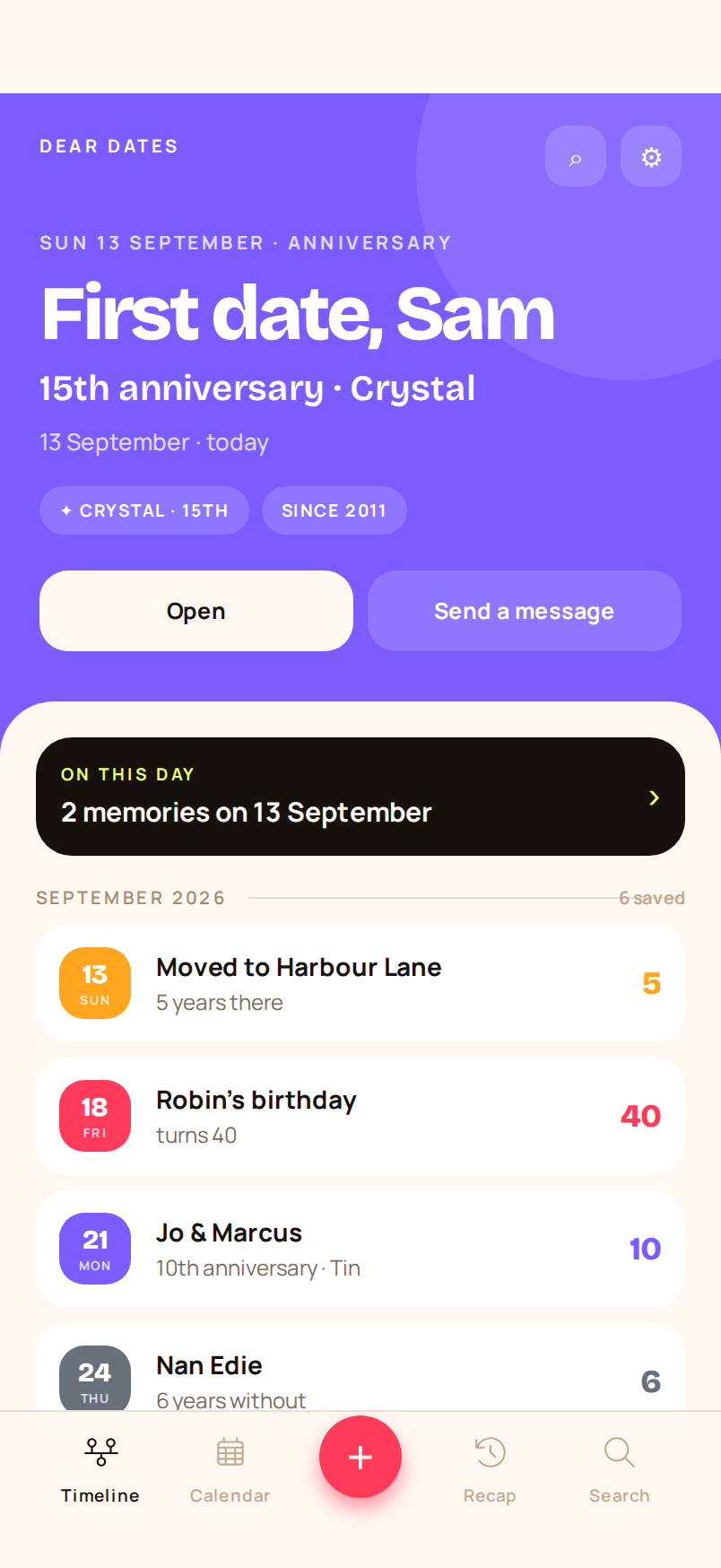
A day and month makes it repeat. A year makes it count.
Leave the year out and the date still comes back — it just has no number. Put it in and Dear Dates works out what to call it, and gives every kind of date its own colour.
Ages worked out from the birth year. No year saved? “Birthday · every year”.
Paper, wood, crystal, silver, golden, diamond — the traditional gift comes with the year.
Counted quietly. No celebration, and it can stay off your lock screen.
Running, sober, sending the Sunday text — with a check-in you confirm weekly, monthly or yearly.
The years people actually mark get an earlier nudge.
Every decade, plus 1, 13, 16, 18, 21 and 65 for birthdays. The 1st and then every five years for everything else. A month's warning instead of a week.
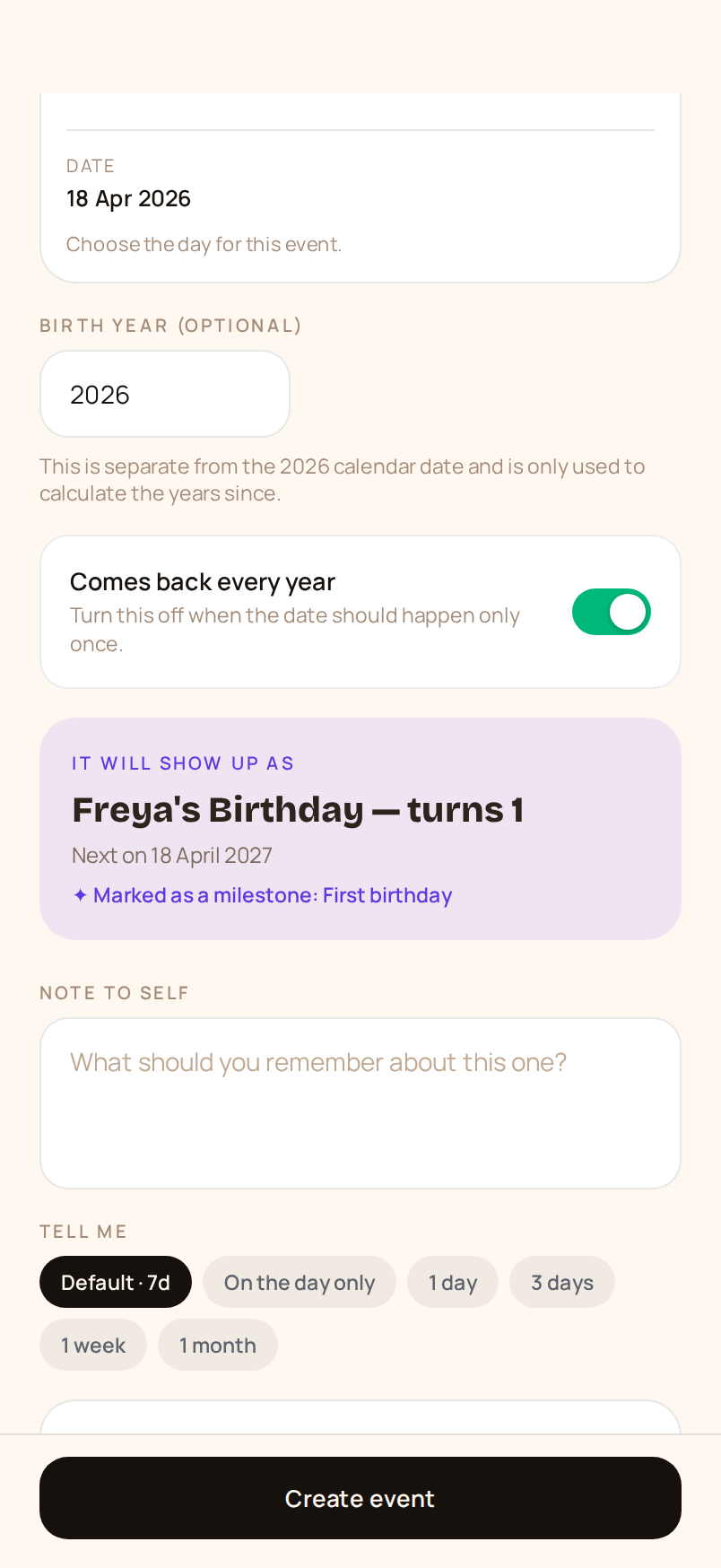
You see exactly how a date will read before you save it.
What kind of date, when it started, what it should carry. Step two shows the finished line — the number, the badge, the day it next lands — and asks for the year in the words that fit: “year of birth”, “the year it started”, “the year they died”.
- Eleven kinds of date. Birthday, anniversary, remembrance, gig, trip, moved home, work, pet, appointment, streak, something else — each with its own colour.
- One-offs welcome. A booked appointment turns up once, with its time, and doesn't count anything.
- People attached. Add whoever a date belongs to, from a name you've saved before or a new one.
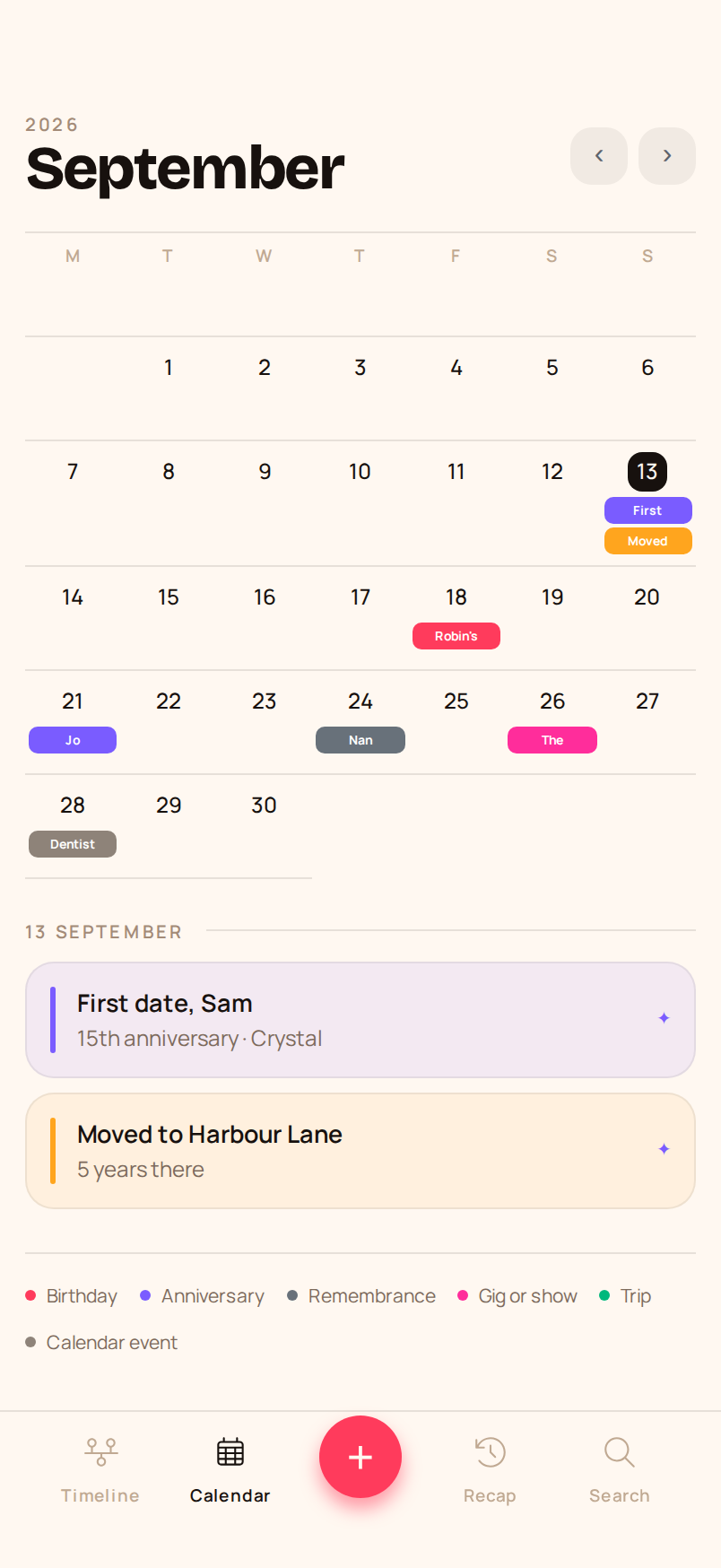
A glance at the month tells you what kind of week it is.
Named colour blocks, not dots — you can read whose birthday it is without tapping. Use it for everything: appointments, trips, the gig you've had tickets for since March.
Look back
Search titles, people, notes and year entries — or filter to milestones only.
People pages
Every date someone appears on, what they're turning, how long you've been together.
Home-screen widgets
The next date and its number, without opening anything.
Send a message
A tap from the date to the text you were going to forget to send.
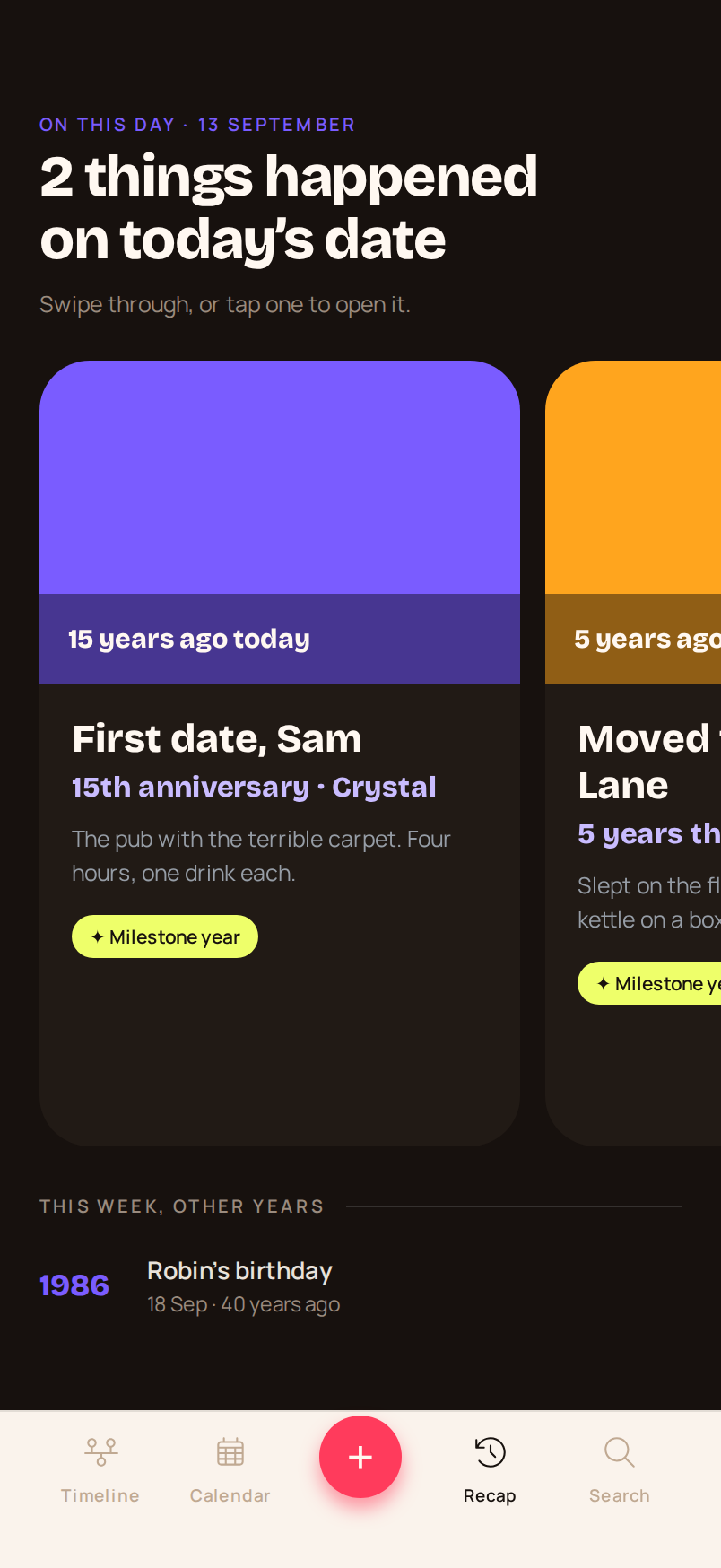
Add a memory. It comes back every year that follows.
Write a line about how a year went and it sits in the date's own history, newest first, down to the day it started. Tap any year to record what happened.
Some dates want a number. Some want to be left alone.
You decide what each date says, how loud it is, and whether it counts at all.
Keep the date, drop the number
Leave the year out, or turn the count off. The date still arrives every year — it just doesn't tell you how many.
Call them what you call them
“Mum”, “Grandpa”, “Nan Edie”. Set the name once and it reads that way on every date they're on.
Skip a reminder, keep the date
Remembrance dates can stay in the calendar and off your lock screen. Nothing announces itself if you'd rather it didn't.
One note, every year after
“Make the lemon cake. Ring Mum in the morning, not the evening.”
Written once, there whenever the date comes round.
No account needed. No analytics. No password.
Everything stored on your device — unlimited dates, milestones, reminders, memories, widgets.
Backup, device sync and a shared circle for 2 people.
Backup, device sync and a shared circle for up to 6 people.